Reports
Monitoring Module Reports
The Reports module generates a weekly Security Audit Report for your organization. Each report summarizes the health of your entire monitored trust plane — CT logs, DNS, certificate deployments, and RDAP — into a single scored overview with specific findings and a downloadable PDF.
Overview
The audit report answers the question: how well is your domain trust plane being maintained?
Every week NOB.center evaluates your monitoring data against a fixed set of rules. Each rule that fires reduces a category score. The category scores are combined into an overall score from 0 to 100, which maps to a letter grade.
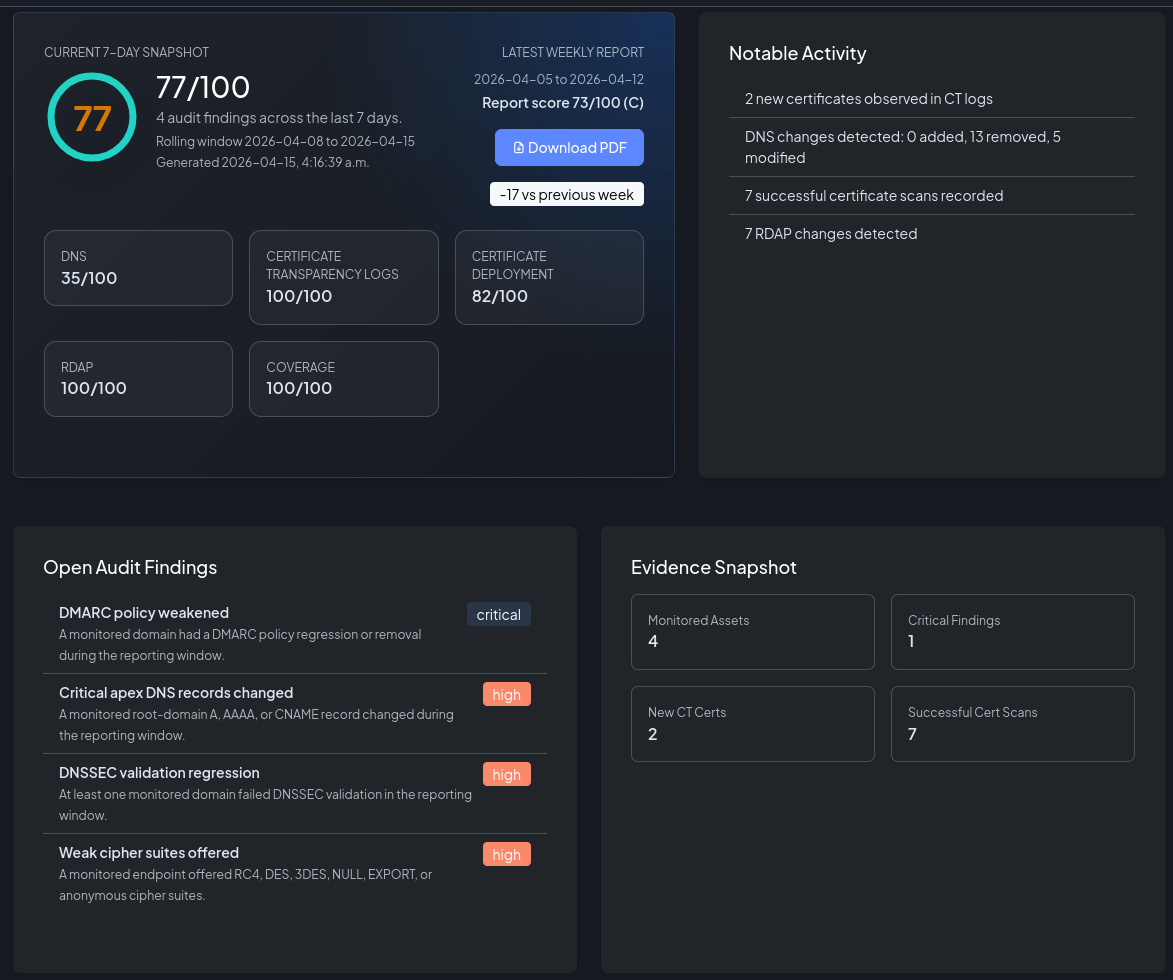
The dashboard security score
A live version of the current score is always visible on the main Dashboard in the Security Overview card. This reflects the latest data without waiting for a scheduled report run.
Scoring model
Categories and weights
The overall score is a weighted average of five category scores:
| Category | Weight | What it evaluates |
|---|---|---|
| DNS | 30% | DMARC/SPF policy integrity, apex record changes, nameserver and mail record changes, DNSSEC validation |
| CT Log | 20% | CAA policy violations detected in recently observed certificates |
| Certificates | 20% | Expiry, scan failures, deprecated TLS versions, weak ciphers, self-signed certificates |
| RDAP | 15% | Domain ownership or registrar changes, expiring domains, nameserver or status changes |
| Coverage | 15% | Whether all enabled modules have configured assets and whether monitoring data is current |
Each category starts at 100. Each rule that fires subtracts its score_impact from that category's score, down to a minimum of 0. The five category scores are then averaged using the weights above to produce the overall score.
Grade scale
| Grade | Score range | Meaning |
|---|---|---|
| A | 90–100 | All controls healthy, no significant findings |
| B | 80–89 | Minor findings; prompt review recommended |
| C | 70–79 | Moderate findings; action required |
| D | 60–69 | Significant findings; remediation overdue |
| F | < 60 | Critical findings; immediate action required |
Audit rules
The following rules are evaluated in each report. A rule fires when its condition is true for the reporting window.
DNS (weight 30%)
| Rule | Severity | Score impact | Condition |
|---|---|---|---|
| DMARC policy weakened | Critical | −30 | A monitored domain had a DMARC policy regression or removal |
| SPF became overly permissive | Critical | −25 | A domain introduced an SPF record that allows all senders (+all) |
| Critical apex records changed | High | −15 | A root-domain A, AAAA, or CNAME record changed |
| Mail or nameserver records changed | High | −12 | MX or NS records changed for a monitored domain |
| DNSSEC validation regression | High | −20 | At least one domain failed DNSSEC validation |
CT Log (weight 20%)
| Rule | Severity | Score impact | Condition |
|---|---|---|---|
| Recent CAA violations detected | High | −20 | At least one recently observed certificate appears inconsistent with current CAA policy |
Certificates (weight 20%)
| Rule | Severity | Score impact | Condition |
|---|---|---|---|
| Expired certificates detected | Critical | −30 | A monitored endpoint presented an expired certificate |
| Certificate scan failures | High | −15 | One or more scans failed or could not connect |
| Deprecated TLS versions accepted | High | −18 | A monitored endpoint accepted TLSv1.0 or TLSv1.1 |
| Weak cipher suites offered | High | −18 | A monitored endpoint offered RC4, DES, 3DES, NULL, EXPORT, or anonymous cipher suites |
| Self-signed certificates detected | High | −12 | A monitored endpoint presented a self-signed certificate |
RDAP (weight 15%)
| Rule | Severity | Score impact | Condition |
|---|---|---|---|
| Ownership or registrar change | Critical | −25 | Registrant or registrar metadata changed |
| Domain expiry approaching | High | −15 | A monitored domain expires within 30 days |
| Nameserver or status change | Medium | −10 | RDAP nameserver or status attributes changed |
Coverage (weight 15%)
| Rule | Severity | Score impact | Condition |
|---|---|---|---|
| Modules without assets | Medium | −12 | At least one enabled module has no configured assets |
| Monitoring data stale | High | −18 | One or more modules have data outside the expected collection window |
Scoring example
Consider an organization with these findings in a given week:
- An MX record changed: DNS −12 → DNS score = 88
- A certificate had deprecated TLS: Certificates −18 → Certificates score = 82
- All other categories: 100
Overall score = (88 × 0.30) + (100 × 0.20) + (82 × 0.20) + (100 × 0.15) + (100 × 0.15) = 26.4 + 20 + 16.4 + 15 + 15 = 92.8 → Grade A
Weekly reports
Reports are generated automatically once per week. Each report covers the previous 7-day window.
Receiving reports by email
Navigate to Account → Notification Preferences and enable Weekly Audit Report. The report PDF is sent to your account email address each week.
You can also enable weekly reports for individual users when inviting them — check the Send weekly audit report option in the invitation form.
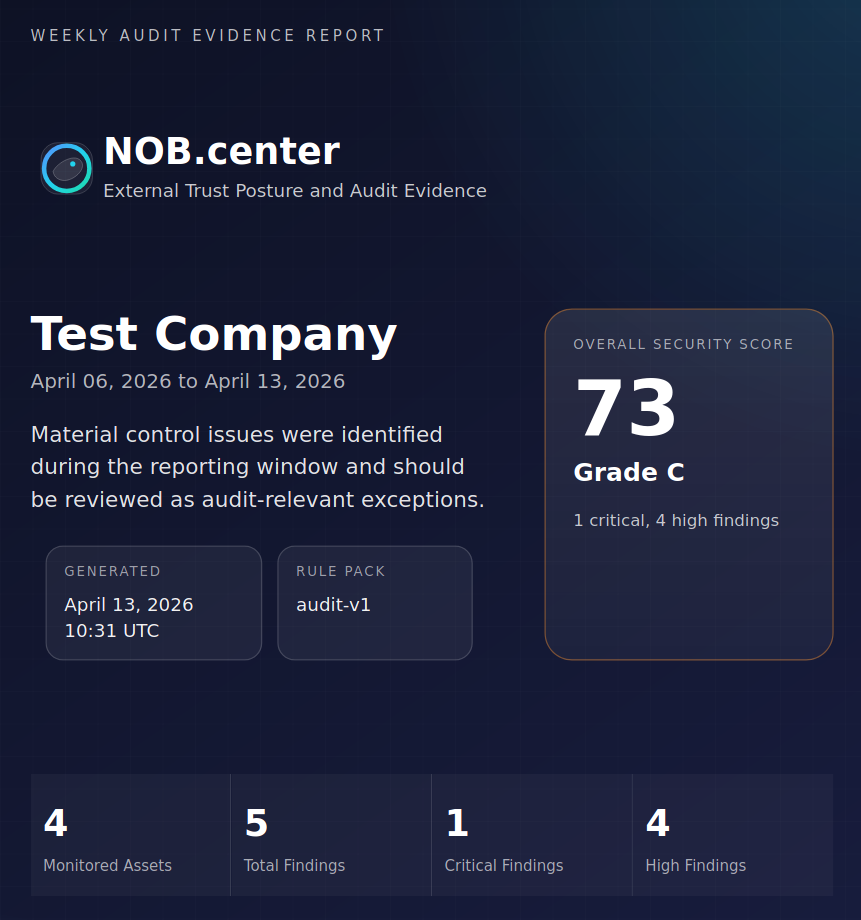
Report PDF contents
The PDF includes:
- Executive summary — Score, grade, and a plain-language summary of the week's findings
- Score breakdown — Bar chart of all five category scores
- Findings — Each fired rule with its severity, score impact, evidence text, and compliance control references (SOC 2, ISO 27001, NIST CSF)
- Notable activity — Key events from the week (certificates observed, DNS changes, RDAP updates)
- Metrics — Counts of monitored assets and activity per module
The latest report is always linked from the Dashboard. Past reports can be listed and downloaded via the API.
Compliance control references
Each audit rule is mapped to industry control frameworks. The PDF report includes these references in each finding:
| Framework | Standard | Focus area |
|---|---|---|
| SOC 2 | Trust Services Criteria | CC6 (logical access), CC7 (system operations), CC8 (change management) |
| ISO 27001 | Annex A controls | A.5.9 (asset inventory), A.8.7 (anti-phishing), A.8.16 (monitoring), A.8.20 (TLS), A.8.32 (change management) |
| NIST CSF | Cybersecurity Framework | ID.AM (asset management), DE.CM (continuous monitoring), PR.DS (data security), SC (system & communications protection) |
These references are informational — they help security teams map NOB.center findings to their existing audit and compliance programs.
API reference
All Reports endpoints require authentication. See Authentication.
GET /api/dashboard/security-overview
Returns the current security score, grade, and category breakdown based on the latest monitoring data.
Permission: Any authenticated user.
Response:
{
  "success": true,
  "data": {
    "overall_score": 92,
    "grade": "A",
    "category_scores": {
      "dns": 100,
      "ct": 100,
      "certificates": 82,
      "rdap": 100,
      "coverage": 100
    },
    "findings": [
      {
        "id": "cert_weak_protocols",
        "title": "Deprecated TLS versions accepted",
        "severity": "high",
        "score_impact": 18,
        "category": "certificates"
      }
    ],
    "generated_at": "2026-01-15T10:30:00Z"
  }
}
GET /api/reports
List past weekly reports for your organization.
Permission: Any authenticated user.
Query parameters: limit (int, 1–54, default 10)
Response:
{
  "success": true,
  "data": [
    {
      "id": 42,
      "report_type": "weekly",
      "period_start": "2026-01-06T00:00:00Z",
      "period_end": "2026-01-13T00:00:00Z",
      "overall_score": 88,
      "grade": "B",
      "generated_at": "2026-01-13T06:00:00Z",
      "pdf_filename": "nob-center-audit-2026-01-13.pdf"
    }
  ]
}
GET /api/reports/{report_id}/download
Download a specific report as a PDF file.
Permission: Any authenticated user.
Response: application/pdf file download.